




HomeAll Tools
Remove Text from Video

Remove Text from Video Online

Remove text from video to clear subtitles, captions, timestamps, and other embedded text from existing footage. Instead of recreating your video from scratch, edit the content you already have and prepare it for new platforms.

Upload Video

Drag and drop video here

Remove Text from Video

Remove text from video to clear subtitles, captions, timestamps, and other embedded text from existing footage. Instead of recreating your video from scratch, edit the content you already have and prepare it for new platforms.

Remove Text from Video

Remove Text with Auto or Box Select

Different videos require different editing methods. Choose Auto to detect branded watermarks throughout the video, or use Box Select to remove text from a specific area. Both options give you the flexibility to edit videos based on where the text appears.
Remove Text from Video

Remove Static Text from Videos

Remove subtitles, captions, timestamps, titles, and other static text from your videos. Select the text area you want to erase and create a cleaner video for republishing, sharing, or further editing.
Remove Text from Video

Restore the Background Behind Removed Text

After text is removed, the covered area is reconstructed using nearby visual information to help the edited section blend with the rest of the scene. This helps reduce noticeable gaps and keeps the video looking more complete.

Remove Different Types of Text from Video

Remove Text from Video
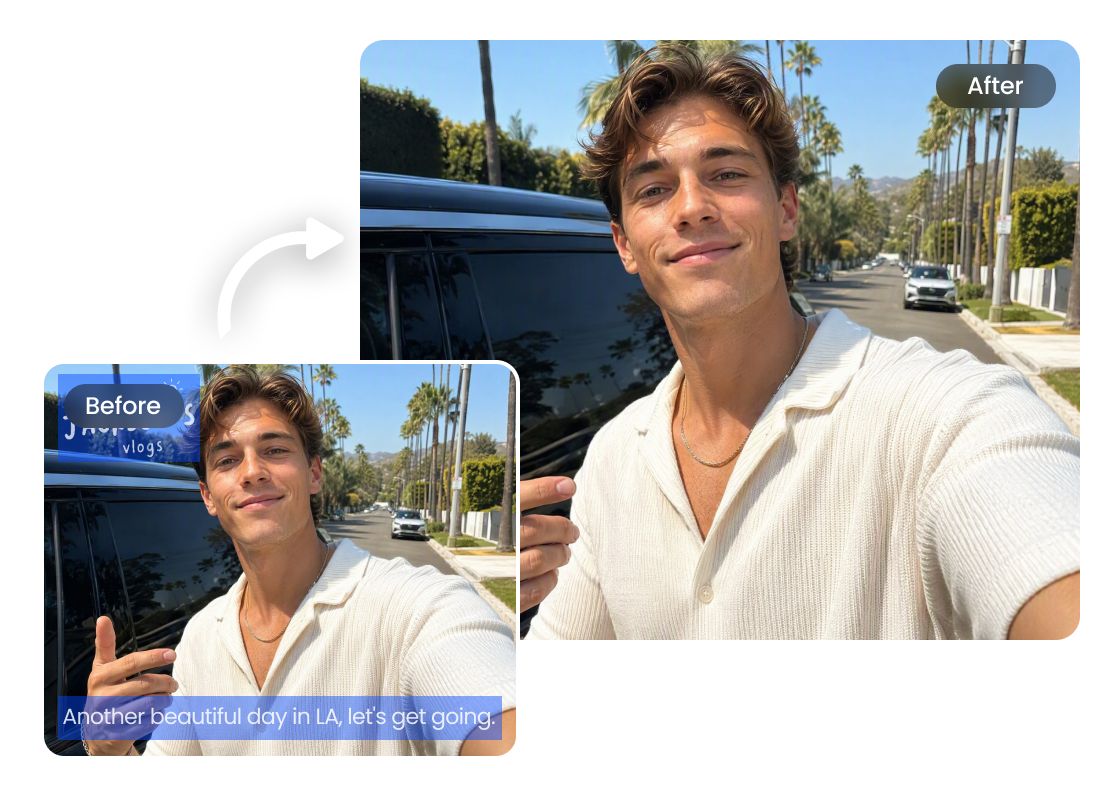
Remove Subtitles

Subtitles are often permanently embedded when a video is exported, so they cannot be turned off later. Use the Airbrush video text remover to clear outdated subtitles, add translations, or prepare a clean version for another audience.
Remove Text from Video

Remove Subtitles

Subtitles are often permanently embedded when a video is exported, so they cannot be turned off later. Use the Airbrush video text remover to clear outdated subtitles, add translations, or prepare a clean version for another audience.

Remove Text from Video

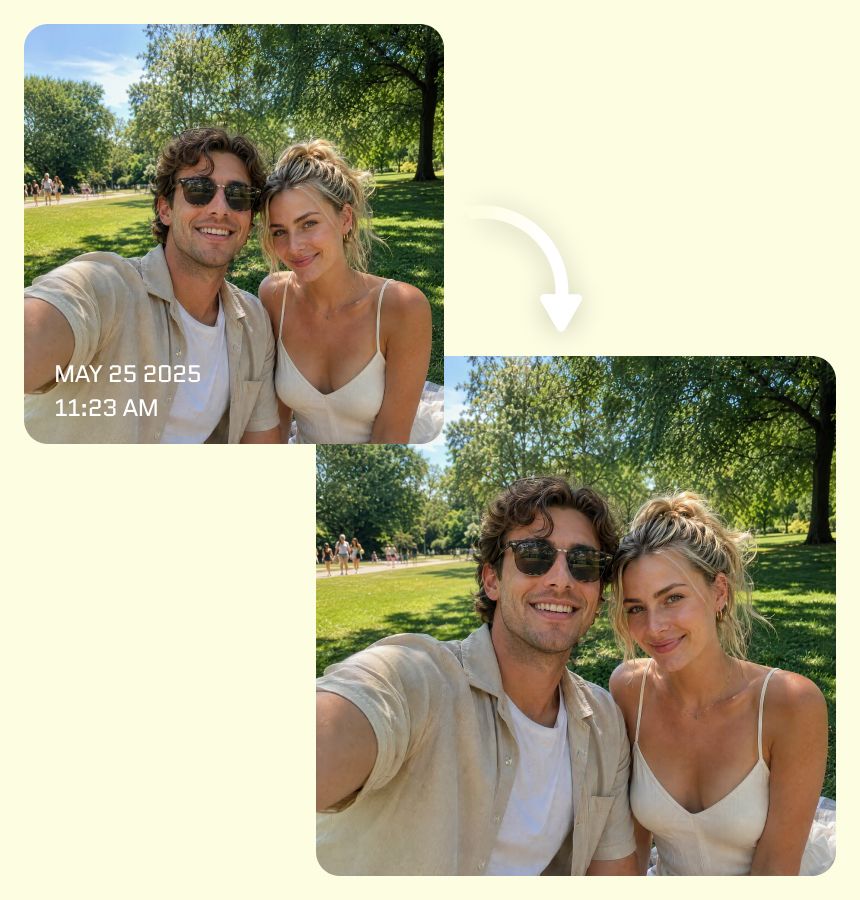
Remove Timestamps

Date and time stamps are common in security recordings, tutorials, and archived footage. Removing them helps refresh older videos, making them suitable for presentations, documentation, or content that doesn't need visible recording details.

Remove Text from Video

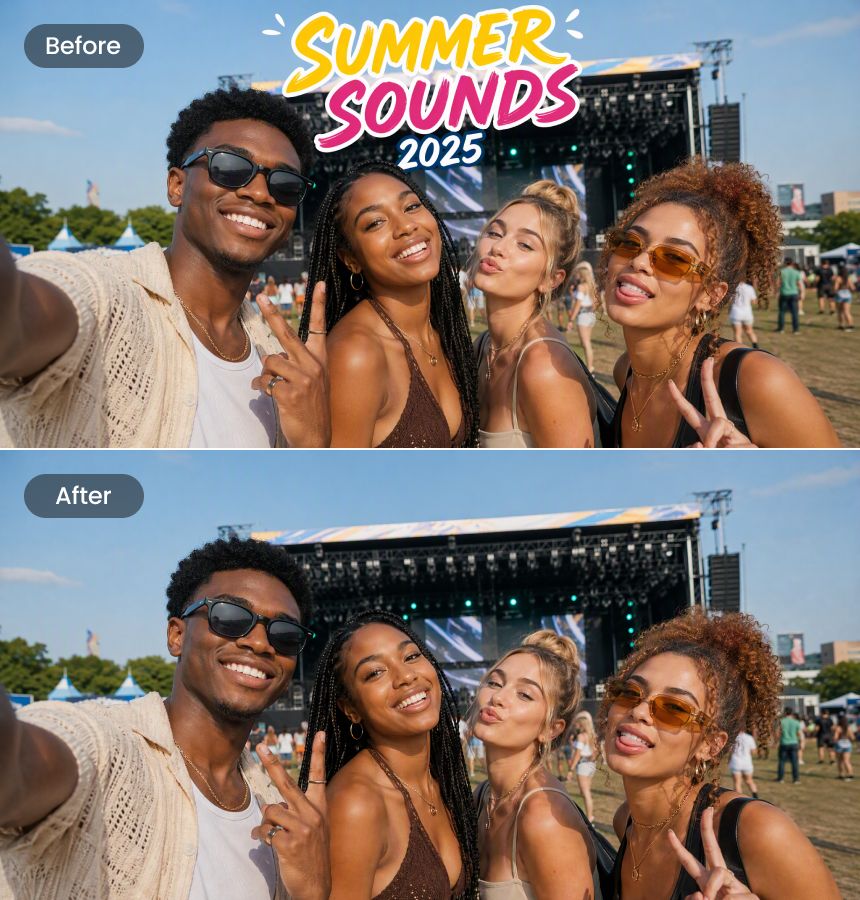
Remove Titles and Intro Text

Opening titles often include campaign names, event details, or branding that quickly become outdated. Remove text from video to update the introduction without recording the entire video again, making it easier to adapt existing content for new projects.

Remove Text from Video

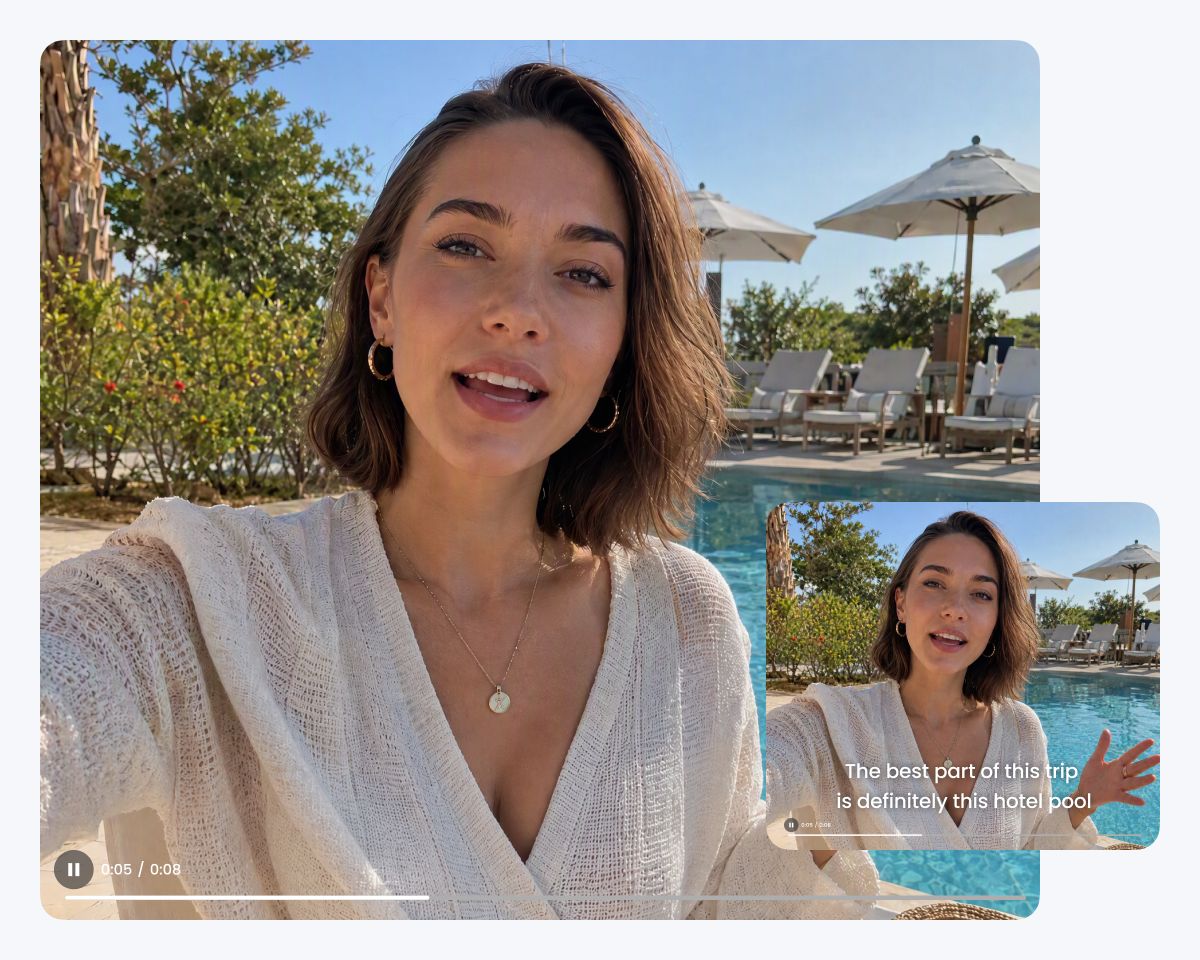
Remove On-Screen Text

Instructional notes, labels, announcements, and promotional messages can reduce the flexibility of a video once they're permanently embedded. Erase text from video to prepare existing footage for different audiences, platforms, or future updates.

How to Remove Text from Video?

Upload Your Video

Choose the video you want to remove text from and upload it in its original format. Airbrush supports common video file types, so you can start without converting the file first.

Select the Text to Remove

Use Auto to detect branded watermarks across the video, or Box Select to manually choose the area. This gives you more control over different types of text and editing scenarios.

Preview and Save

Check the video before exporting. Once you're happy with the result, save a clean version that's ready to share.

Remove Text from Video

User Reviews

I needed to update a tutorial that had old subtitles. Instead of editing the whole video again, I removed the text and added subtitles in another language. It saved me a lot of time.

- Emily R.

Some of my videos had timestamps and other text that I no longer wanted to keep. The Airbrush video text remover was easy to use, and the result looked much cleaner than I expected.

- Michael T.

I use the same videos for different platforms, so I often need to remove unwanted text before publishing them again. It was much easier than creating new versions from scratch.

- Sophia L.

Frequently Asked Questions

Yes. Airbrush Remove Text from Video can remove embedded subtitles that are permanently added to a video. This makes it easier to replace existing subtitles with a different language or create a clean version for another audience.

You can remove many types of embedded text, including subtitles, captions, timestamps, speaker names, opening titles, closing titles, presentation text, and other on-screen text added during editing.

The tool rebuilds the area behind the removed text using information from nearby frames to help the edited section blend with the surrounding scene. Results may vary depending on video quality, movement, and how much of the background is covered by the text.

Yes. If the text only appears during certain scenes or in a specific area, you can use Box Select to remove it without editing the entire video.

Use Airbrush Video Text Remover when you need to remove subtitles, captions, timestamps, titles, or other embedded text from a video. To remove a watermark or logo, use the Video Watermark Remover, which is designed specifically for those types of edits.

Airbrush Remove Text from Video supports MP4, MOV, and M4V files, making it easy to edit videos from phones, cameras, screen recordings, and video editing software. It supports videos up to 4K resolution, 200 MB, and 10 minutes in length.

You should only remove text from videos you own or have permission to edit. Before modifying or republishing a video, make sure your use follows applicable copyright, licensing, privacy, and content-usage rules.

Remove Text from Video Online