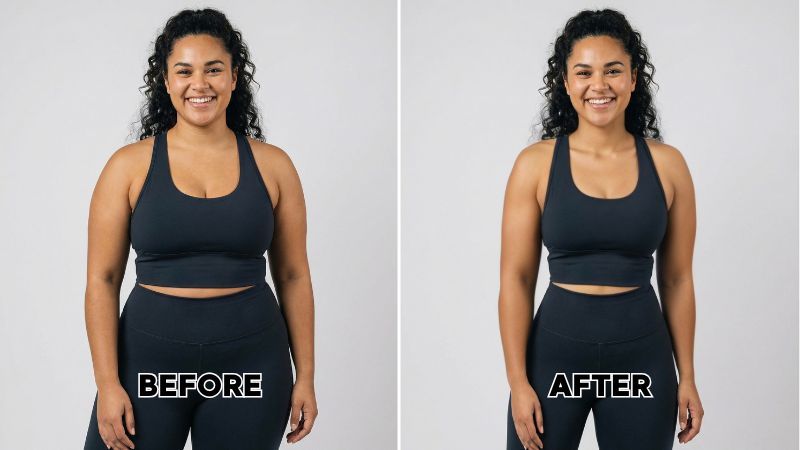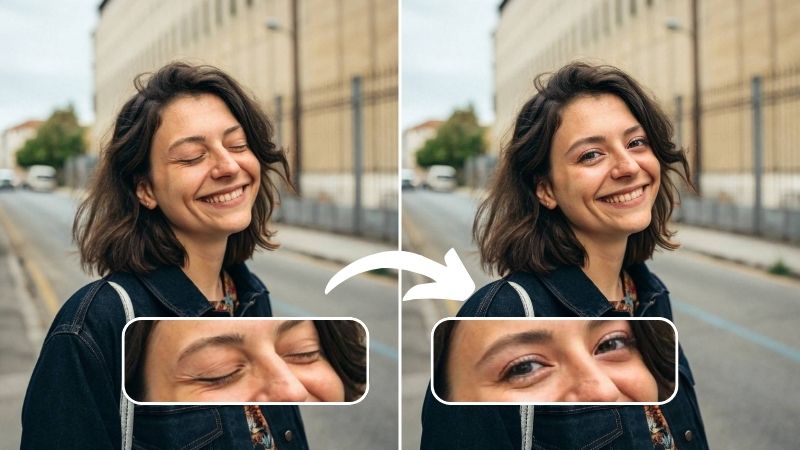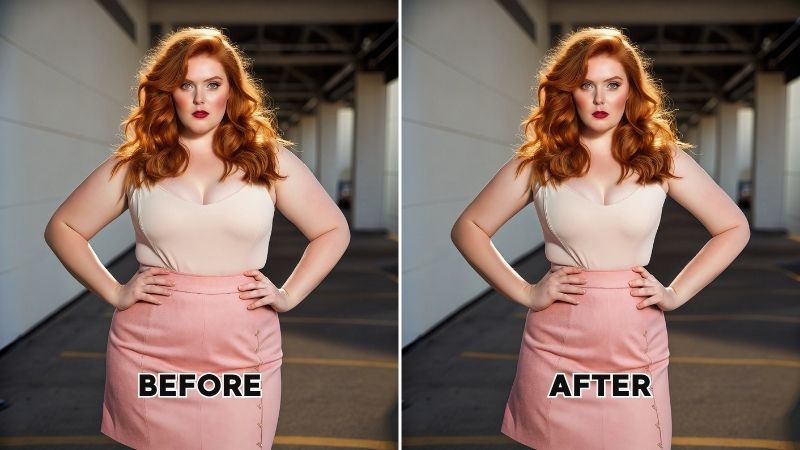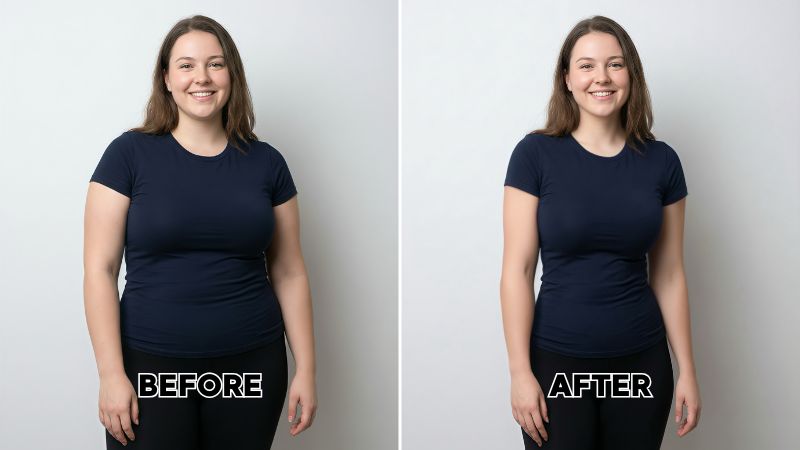
Ever since the advent of the camera, saving memories through photos has become everyone’s default given. But back in the day, if you looked a little weird, or your thighs came out bigger than you liked, or your forehead decided to take the spotlight, you just had to accept it. And then live with that photo being passed down for generations while everyone pointed out how you looked.
Today, face and body editing apps have been the savior for this generation. These 6 best body editing apps for Mac and PC will have you editing pictures as if there was nothing wrong with them to begin with. Even the proficient won’t be able to tell.


1. Airbrush Studio

First on the list and first in performance among the best body editing apps is Airbrush Studio. It’s available on both Mac and PC, and everything from there on out is pretty intuitive. The body-editing tools are easy to navigate, and the results come out almost flawless. Anyone can use it for retouching because it doesn’t rely on heavy manual work and leans on a solid AI engine that genuinely delivers on its goal of simple, accessible editing.
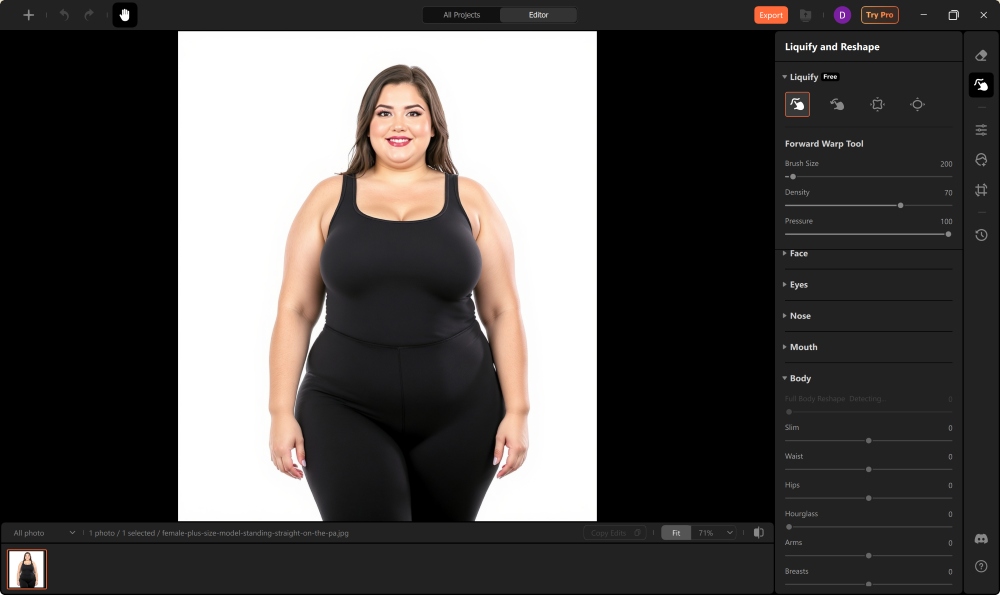
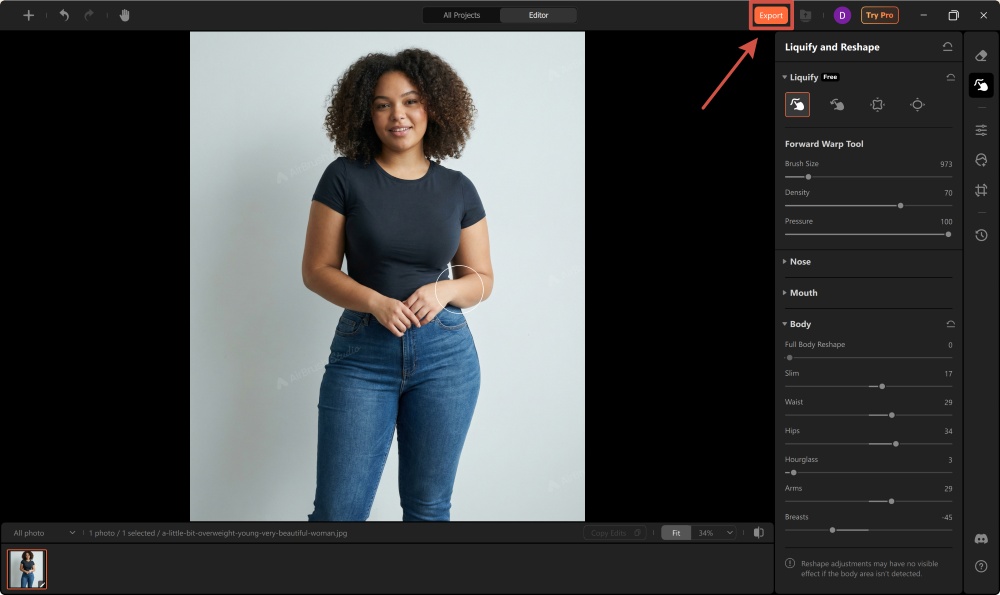
You’ll find the body retouching features under the Liquify and Reshape section, and it offers way more options than you’d expect. Aside from your basic Pucker and Bloat tools for adding definition, it also includes Warp and Reconstruct tools for cleaner adjustments. You can control the intensity of all body and face related settings in one place. This spares you from the manual effort as the reshape adjustments are backed by a powerful AI engine. It can even edit multiple subjects in a single photo. While it’s not as advanced as Photoshop, I’d still rank it first among the 6 Best Body Editing Apps for Mac and PC based on how smart, responsive, and reliable its AI-powered tools are.
Pros
- Very easy to use
- Fast, clean body-editing results
- Good AI engine with natural-looking adjustments
- Great for beginners and everyday social media edits
Cons
- Some people may need a moment to adjust to the layout the first time
How to Edit Body in Airbrush Studio?
1. Download the Airbrush Studio on your PC or Mac. Launch it on your device and click on “Upload Image” to upload the image you want to edit.

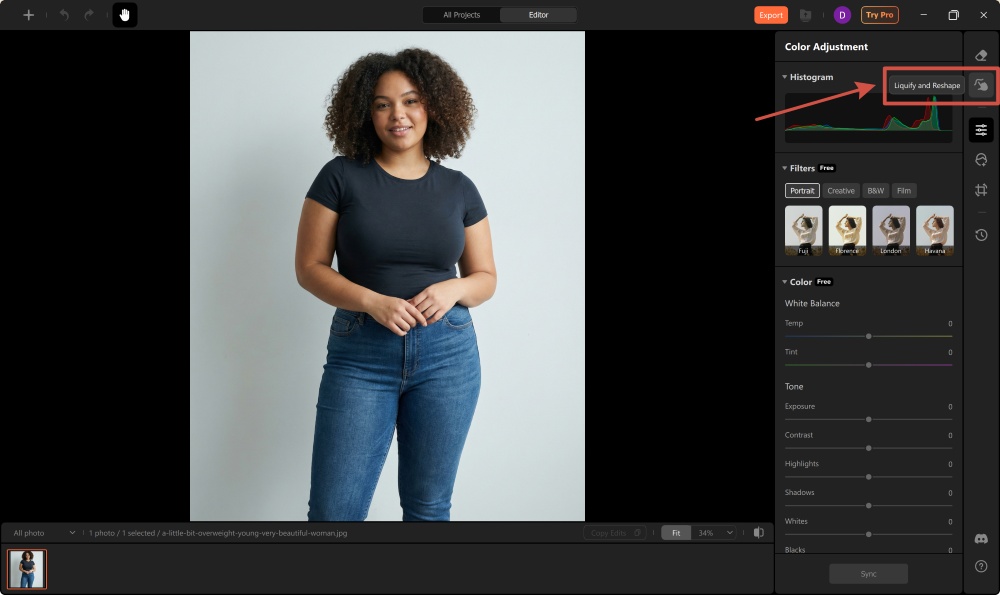
2. Click on the “Liquify and Reshape” button from the toolbar on the right.
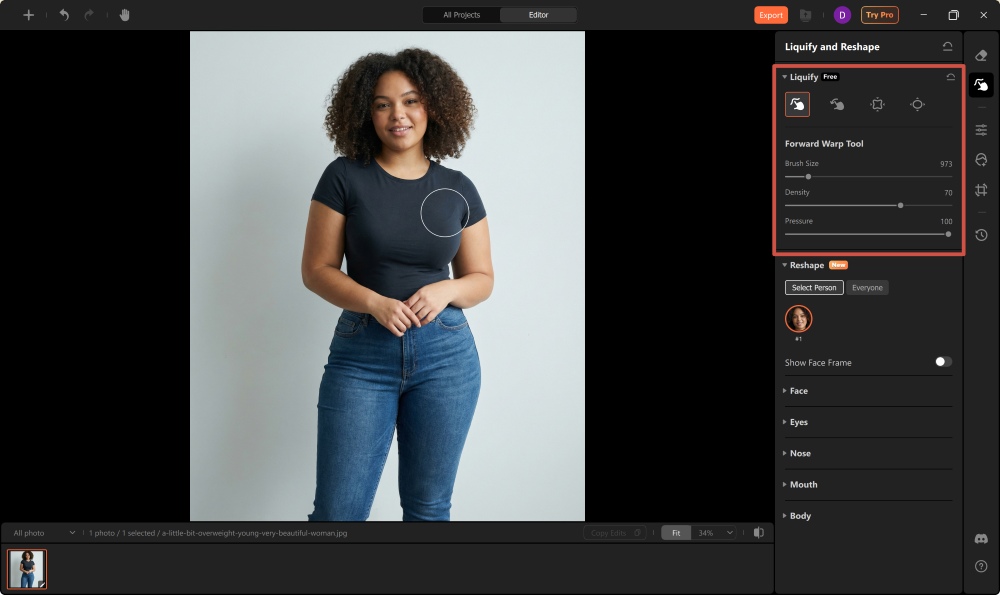
3. Explore the warp, reconstruct, pucker, and bloat tool to edit your image. You can do that by running the brush of the respective tool around the body of the subject.
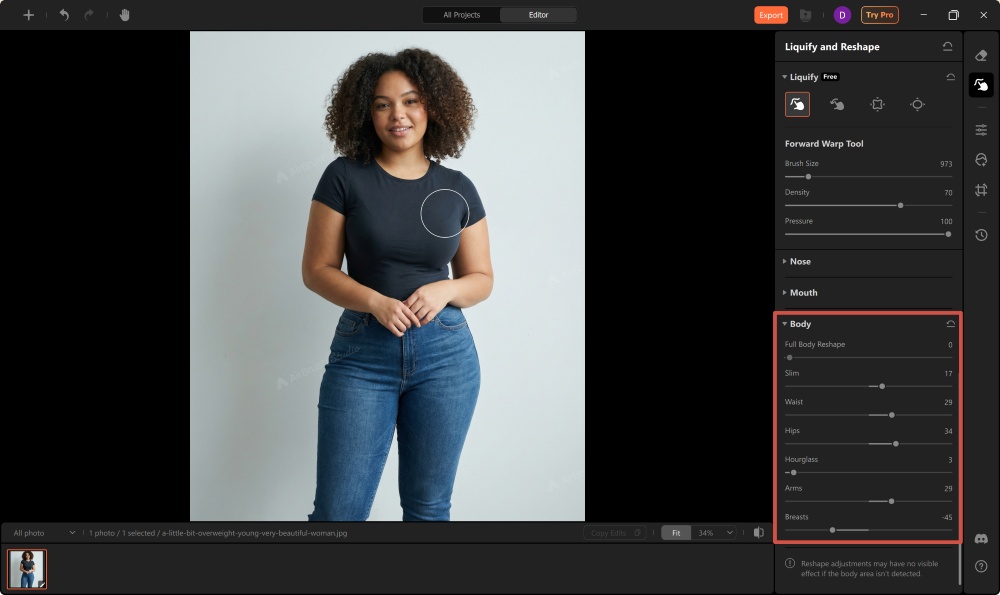
4. Next, click on “Body”, then move the slider across the available options to adjust and control different body features.
5. Once you’re satisfied with the results, save it to your device by clicking the “Export” button.
2. Adobe Photoshop

Adobe may be the standard tool to turn to when you’re looking for the best body editing apps, but you’d also naturally expect a higher price tag to come along with it, and $22.99 per month may feel reasonable for some and unnecessary for others. The good thing is you can try it free for 14 days, which gives you a proper taste of what Adobe can do before committing. It’s definitely advanced when it comes to body editing, built around its Liquify panel, where every adjustment is fully manual. You can reshape the waist, arms, shoulders, muscles, and even facial structure with exact control instead of sliders, which is why so many professionals in fashion, magazines, and e-commerce rely on it.
Pros:
- Industry-standard quality
- Complete manual control
- Extremely realistic results
- Works for professional photography and commercial use
Cons:
- Expensive monthly subscription
- Takes time to learn
- Slower workflow than AI-first tools
- Not ideal for beginners or casual editing
3. Skylum Luminar Neo
Luminar Neo is a fairly competitive tool in the photo-editing space, and rightly so. You get quick results through easy-to-use features, and it only takes a couple of minutes before you get the hang of it. Overall, it can be used long-term, considering how intuitive it is, especially with the Body AI feature, which you can rely on for basic body editor features like slimming, bulking, or changing expressions. Its sliders give you control over how much you want to adjust in your portraits, selfies, or social media edits. It is, however, a bit expensive for my liking, and with the most affordable plan starting at $69, you’d expect it to include more advanced features.
Pros
- Simple sliders for fast edits
- Good AI detection for body lines
- Great for portraits, selfies, and social content
- One-click polish with non-destructive editing
Cons
- Broad adjustments, not precise
- Works on all subjects unless masked
- Fewer body-editing tools
- Pricey considering its limitations
4. GIMP

GIMP may be fourth on the list of the 6 Best Body Editing Apps for Mac and PC, but it’s not far from first when you consider that it’s completely free for Mac, Windows, and Linux users. Unlike others that only feel “free” for a couple of trial days, this one actually costs nothing to use.
Gimp is great for anyone who wants full manual control without having to pay for Photoshop, but it definitely takes patience to learn. Its Warp Transform tool gives you the freedom to push, pull, slim, or enlarge any part of the body, but the interface isn’t intuitive, and the tools feel a bit rough compared to Liquify. Once you get used to its brush settings and modes, you can get surprisingly professional results, though it requires more time, zooming, and careful strokes.
Pros
- Completely free and open-source
- Full manual control similar to Photoshop
- Precise pixel-level body reshaping
- Capable of professional results with enough practice
Cons
- Interface is less intuitive than Photoshop
- Slower and less smooth performance
- No freeze mask or AI assistance
- Steep learning curve, especially for beginners
- Fewer tutorials and community resources
5. Fotor
Fotor isn’t unfamiliar in the photo-editing world and puts up solid competition, especially when you look at the 6 Best Body Editing Apps for Mac and PC. It can be downloaded for free and gives you decent body-editing tools to start with, but the advanced features begin at around $3.33 per month. So while you can use it without paying, some options are limited, and free downloads come with a watermark. That said, it still offers good features to play around with.
The AI Skinny Filter does most of the work for you, slimming the full body or specific areas like arms, waist, or thighs with a simple slider or brush. It works on both desktop and mobile, keeps the background intact, and produces clean, high-resolution exports. From my experience, it’s great when you want quick results without the precision of Photoshop. It feels more like a convenience tool than a professional editor, making it ideal for social media posts, casual retouching, and fitness-style before-and-after edits.
Pros
- Extremely easy to use
- One-click slimming with natural results
- Background stays undistorted
- Works on desktop and mobile
- Clean, watermark-free exports
Cons
- Limited precision compared to Photoshop
- Web-based tools require internet
- No professional retouching features
- AI struggles with unusual poses or body types
- Advanced edits require a paid plan
6. Corel PaintShop Pro

Corel PaintShop is another decent photo-editing app you can have on your device. This tool however, is solely available across Mac and Windows devices. So you may have tough luck downloading it on your iPad, tablet, or phone devices. Its Mesh Warp and Warp Brush tools give you enough manual control to reshape the waist, arms, or curves with decent precision, though the interface feels dated and less intuitive compared to Photoshop’s Liquify.
In my experience, it works well once you get used to the mesh system, but it’s slower and requires more setup than the brush-based tools you’d find elsewhere. It’s good enough to be considered one of the best body editing apps for Mac and PC for both professionals and casual users who prefer a one-time purchase over recurring fees. Pricing usually sits around $79.99, often discounted.
Pros
- One-time purchase instead of monthly subscription
- Mesh Warp allows precise, localized control
- Warp Brush offers familiar click-and-drag reshaping
- Good middle-ground tool for non-professionals
Cons
- Interface feels unintuitive and outdated
- Workflow is slower compared to Liquify
- No AI tools or automated face/body detection
- Fewer learning resources and community tutorials
- Not polished enough for high-end professional retouching
Bottom Line
It’s completely valid to want to feel confident before posting your photos online. These best body editing apps for Mac and PC can help you fine-tune your images in the most natural way, and while they’re great for subtle adjustments, they also give you room to make greater changes if that’s the style you’re aiming for. All in all, their job is to make it easier for you to fix small things you’re unsure about, so you can look and feel your best always.