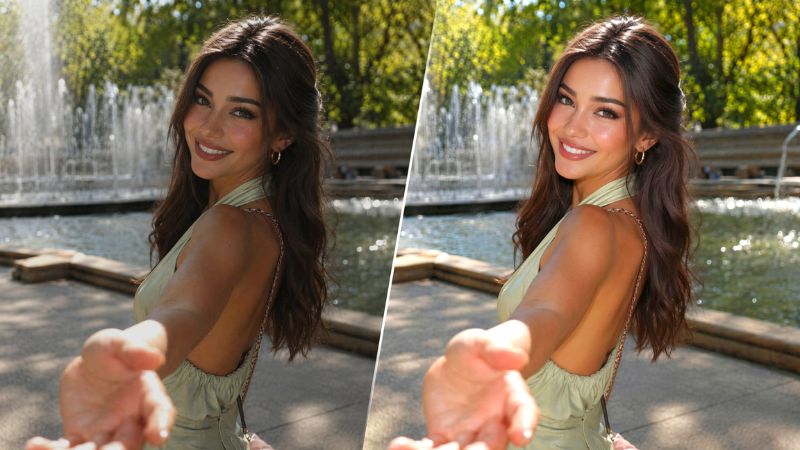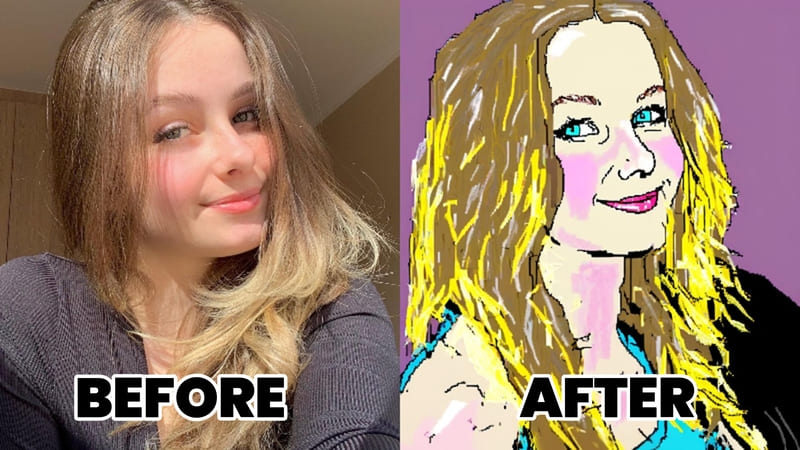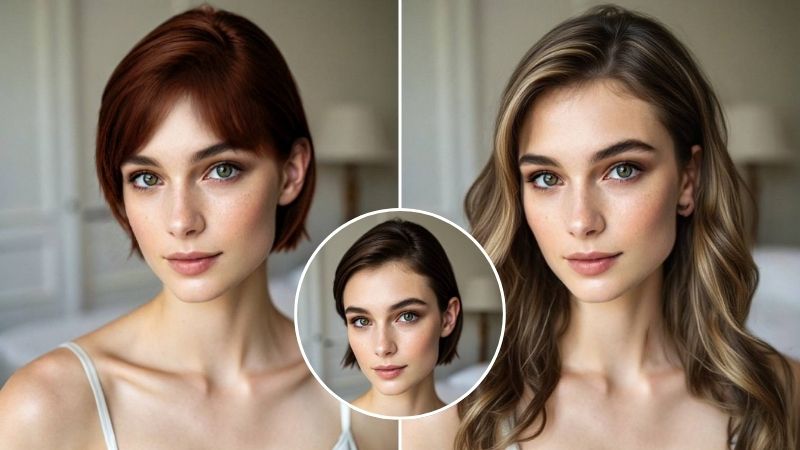
Bad lighting can ruin an otherwise great photo. Whether it’s a selfie taken indoors, a backlit portrait, or a photo with dull shadows, poor lighting can make images look flat, dark, or unnatural.
AI photo relighting makes it possible to adjust lighting after a photo is taken, creating brighter, more balanced, and more realistic results without professional equipment. But making AI-generated lighting look believable is much more challenging than simply increasing brightness. To feel natural, AI needs to understand how light interacts with faces, hair, clothing, and backgrounds while preserving the details that make a photo authentic.
That’s exactly what Airbrush’s research team set out to solve. Their new training method, Consistent Feature Transport (CFT), improves the quality and consistency of AI relighting, and it’s already powering the Relight feature in Airbrush app (iOS/android).
What Is AI Photo Relighting
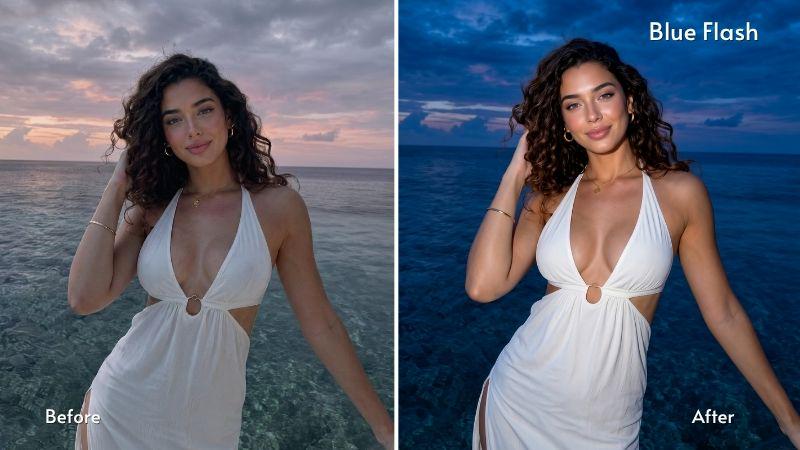
AI photo relighting digitally changes the direction, intensity, color, and atmosphere of light in a photo after it’s been taken. Unlike simply adjusting brightness or exposure, it recreates realistic shadows and depth, making it look as though the image was captured under different lighting conditions.
It’s commonly used to brighten dark selfies, recreate golden-hour lighting, add cinematic, digicam, or flash effects, correct color correction, and give portraits a more polished look without needing to reshoot the image.
Why Fixing Bad Lighting Is So Difficult

Lighting affects every part of an image, from shadows and skin tone to depth and the relationship between a subject and their surroundings. Because of this complexity, many AI editors struggle to produce consistent results.
Common issues include unnatural skin tones, mismatched shadows, lost hair and clothing detail, or subjects that appear disconnected from their backgrounds. These problems often arise because traditional models learn what a finished image should look like rather than how lighting itself behaves.
How Airbrush Solved It with Consistent Feature Transport (CFT)
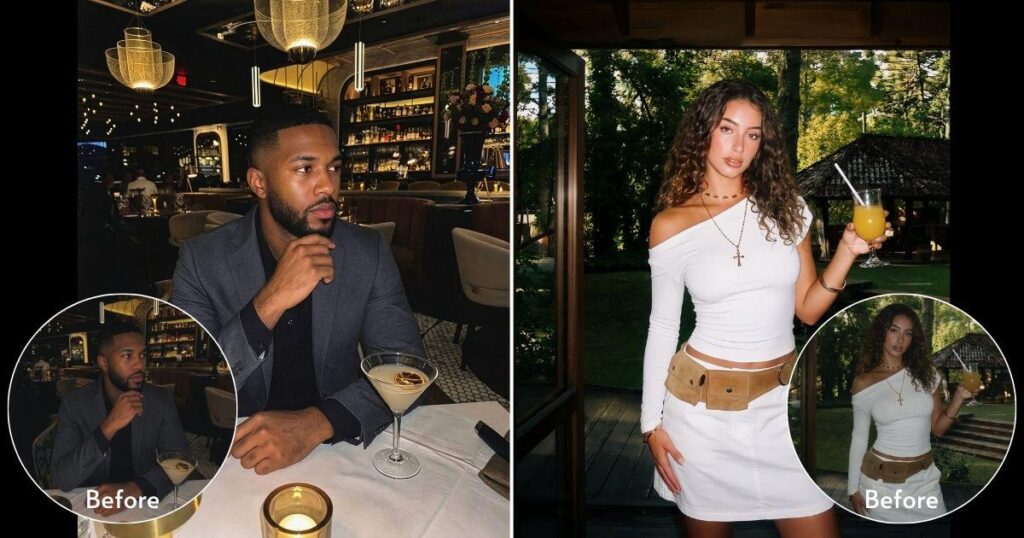
Instead of training AI to imitate well-lit images, Consistent Feature Transport (CFT) teaches the model how lighting should transfer between different images. This helps it learn general lighting principles rather than memorizing subject-specific patterns.
A key innovation is a new training objective that compares different people under similar lighting transformations, allowing the model to apply lighting more consistently across diverse faces and scenes. The model was trained on 34,695 lighting-paired images, helping it produce more realistic and reliable relighting results.
What Does This Mean for Your Photos?
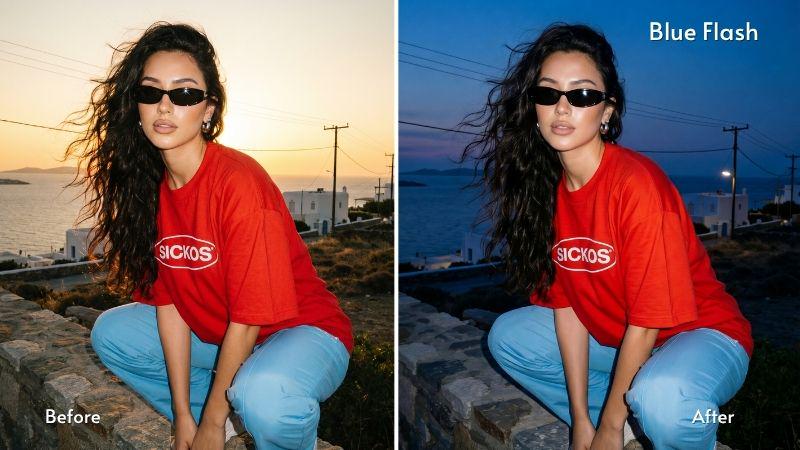
Because CFT learns how lighting behaves instead of simply copying visual effects, the improvements are visible throughout the final image. Lighting appears more natural with believable shadows and highlights instead of an artificial filter effect. Skin tones stay closer to their original color, while fine details like hair, skin texture, and clothing are better preserved. Just as importantly, the subject and background remain visually consistent, creating edits that feel cohesive rather than artificially composed.
These improvements carry across a range of styles from warm golden hour and soft studio lighting to dramatic flash and cooler cinematic looks, resulting in more reliable edits with fewer visual errors or repeated generations.
From Research to Real-World Editing
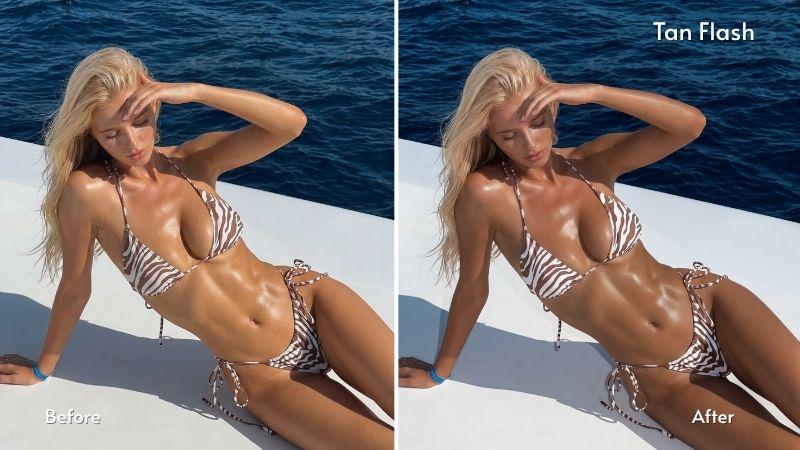
The research behind Consistent Feature Transport has been accepted to ECCV 2026 (The European Conference on Computer Vision), one of the world’s leading conferences in computer vision. The recognition highlights Airbrush’s contribution to advancing AI-powered photo relighting.
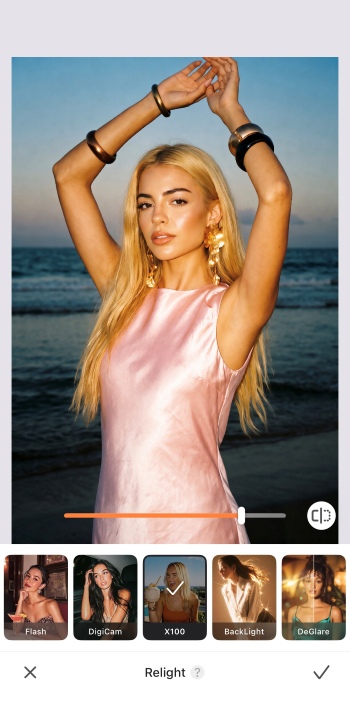
While many AI breakthroughs stay in research papers for years before reaching users, CFT is different. The technology has already been integrated into Airbrush’s Relight feature, improving results automatically without changing the editing workflow. Whether you’re brightening a dim selfie, recreating the warmth of golden hour, adding a flash effect, or giving a portrait a more polished look, CFT helps produce lighting that feels more natural while preserving skin tones, hair, clothing, and other fine details.
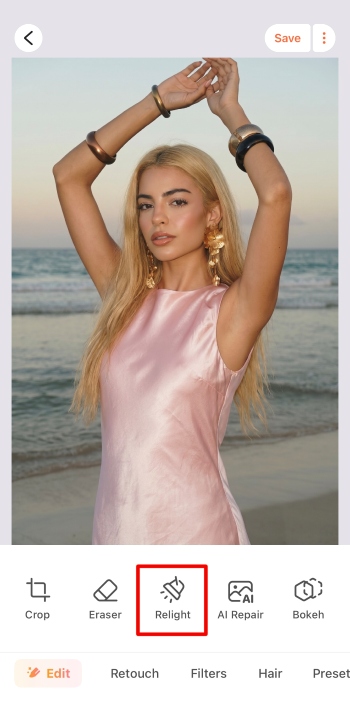
Using Airbrush Relight only takes a few steps:
- Open Airbrush app and upload the photo you want to edit.
- Select the Relight tool from the editing menu.
- Choose a Relight style such as Golden Hour, DigiCam, Flash, Blue Hour, Soft Flash, or Even Light.
- Adjust the intensity using the slider.
- Save or share your finished photo.
Frequently Asked Questions About AI Photo Relighting
What is AI photo relighting?
AI photo relighting changes the direction, intensity, color, and atmosphere of light in an existing photo to create more realistic lighting conditions after the image has already been captured.
How is relighting different from adjusting brightness?
Brightness simply makes an image lighter or darker. AI relighting recreates natural shadows, highlights, light direction, and color temperature, producing a much more realistic result.
What is Consistent Feature Transport (CFT)?
Consistent Feature Transport (CFT) is Airbrush’s AI training method that teaches models how lighting should transfer consistently between images. This helps produce more natural lighting, better detail preservation, and more reliable relighting results.
Can AI relighting fix dark selfies?
Yes. AI relighting can brighten underexposed selfies while preserving natural-looking shadows, skin tones, and facial features. Unlike simply increasing brightness, it recreates realistic lighting to add depth and dimension.
Can AI relighting improve backlit portraits?
Yes. AI relighting can help recover portraits taken against bright backgrounds by adding balanced lighting to the subject while maintaining a natural relationship between the foreground and background.
Does relighting change skin tone?
Good AI relighting should enhance the lighting without dramatically changing a person’s natural skin tone. Airbrush’s CFT technology is designed to reduce unwanted color shifts while keeping skin tones looking realistic across different lighting styles.
What types of photos work best with Airbrush Relight?
Airbrush Relight works best with portraits and selfies, but it can also enhance lifestyle photos, social media content, and other images where improved lighting can make the subject stand out more naturally.
Is AI photo relighting useful for social media content?
Absolutely. AI relighting can make photos more eye-catching by improving lighting, adding mood, and creating polished, professional-looking images for platforms like Instagram, TikTok, Facebook, and LinkedIn, all without requiring advanced editing skills.
Is CFT available now?
Yes. CFT has been integrated into the Airbrush Relight experience. Availability may vary by platform and version.
About Airbrush
Airbrush is an AI-powered photo and video editing platform developed by Pixocial Technology. Used by millions of creators worldwide, Airbrush combines advanced AI research with intuitive editing tools to help users create polished, creator-ready photos and videos with ease. Its AI technologies have been recognized at leading international computer vision conferences and are available across iOS, Android, Windows, macOS, and the web.