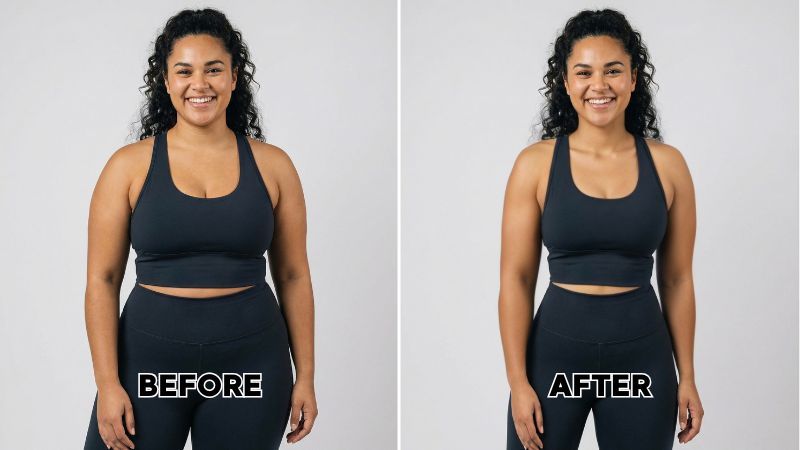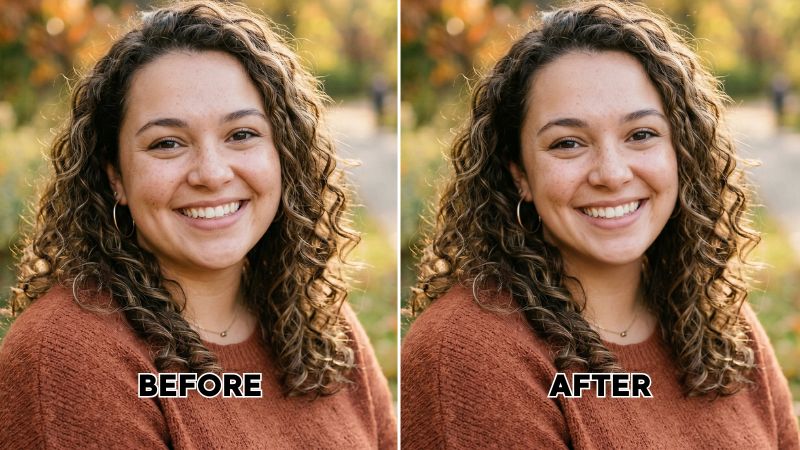
Ever taken the perfect photo with a great outfit and beautiful background but your face just looks off? Not everyone is photogenic. Even those who have a camera face may not always get good pictures. Sometimes, the camera angle makes your face look chubbier than it actually is.
Instead of hiding your photos, you can simply use a face slimming app to adjust your features to the right proportions. Do you want to know about the best face slimming app for desktop? Here is a complete guide.


Desktop Face Slimming App: Airbrush Studio

The Airbrush Studio is one of the most reliable apps to slim face in photo. It is integrated with professional level editing tools to enhance your images. The face slimming app is impressive in its ability to slim the face without any distortion.
Another key strength of the app is real-time previews. Users can immediately evaluate the adjustments and fine-tune details. As a result, users can achieve outcomes exactly according to their requirements. On top of everything, even non-professionals can get easily accustomed to its user-friendly interface. This makes it the best desktop app for both professionals and beginners.
The Airbrush Studio face slimming app offers advanced liquify and reshape tools to precisely slim the face. Here are its key features:
- You can choose to push, revert, contour, or bloat the face to make the image look better.
- It gives its users complete control over all the changes made during face slimming. You can choose to adjust a single area only or the whole face.
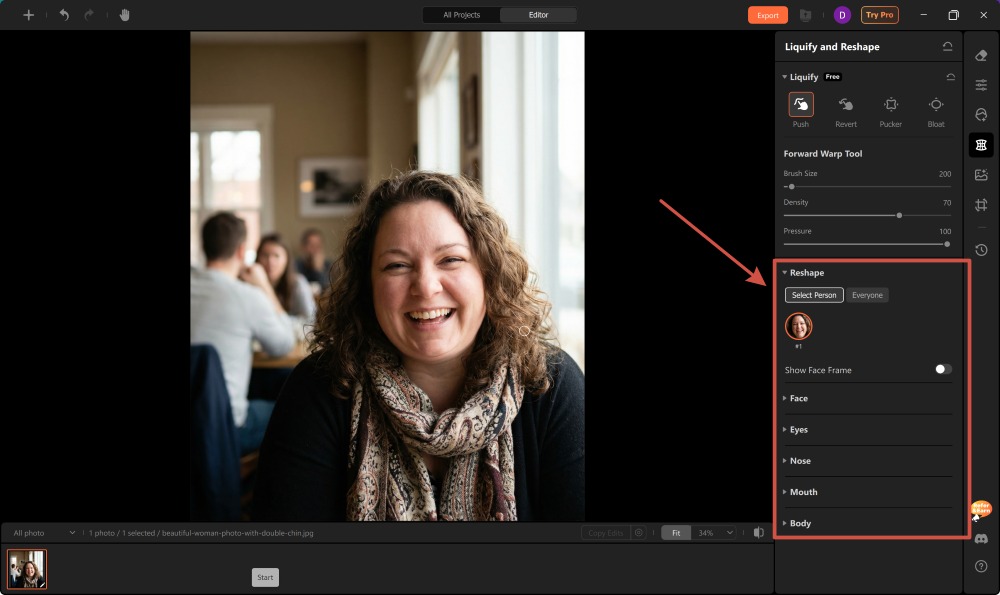
- For better results, you can edit each area including mouth, eyes, nose, cheeks, and jawline individually.
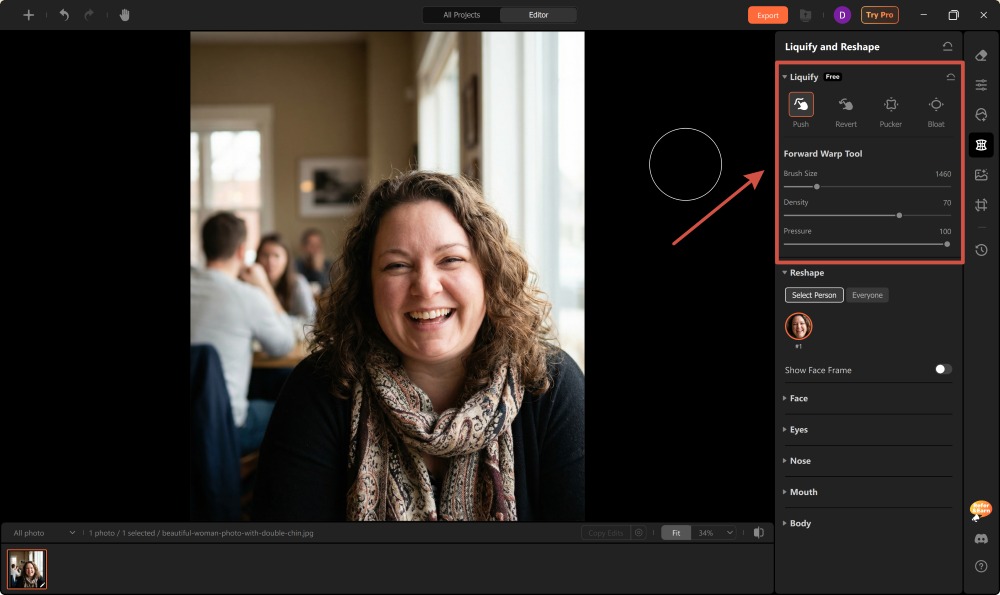
- There is a forward warp tool to adjust brush size, density, and pressure according to requirements.
For instance, go for a small brush to make changes around the eyes and nose. A big brush is perfect for the cheek and jawline. Keep the pressure and density low for subtle refinement. High density and pressure give a stronger effect.
What’s More?
The Airbrush studio is not confined to facial slimming only. It also has Portrait Retouch tools to turn boring clicks into eye-catching portraits. The face slimming app has a comprehensive collection of editing tools including:
- Magic Retouch: You can use magic retouch to enhance the natural appearance of your face or look more sculpted.
- Facial Expression Adjustment: Turn weird or sad facial expressions into smiling or neutral faces.
- Skin Enhancement: If you want to get rid of acne or blemishes, use skin enhancement to make the face look clear.
- Hairstyle Swap: You can use hairstyle swap to turn frizzy hair into dead straight hair or beautiful curls.
- Teeth and Eyes Enhancement: Want your eye to look bigger or your smile look attractive? Use teeth and eye enhancement features to make your facial features appear captivating.
How to Use Airbrush Studio: Step-by-Step Guide
Here is how to slim the face using Airbrush face slimming app:
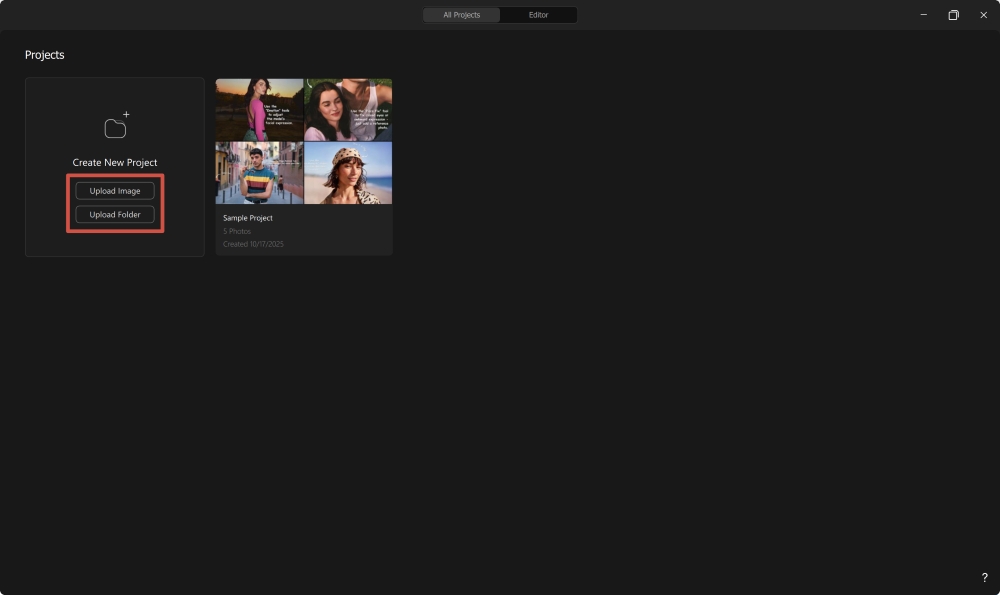
- Install the Airbrush Studio app for desktop and go to “Create New Project.”
- Click on “Upload Picture” and select the picture you want to edit.
- Select the Grid icon “Liquify and Reshape” from the menu on the right side of your screen.
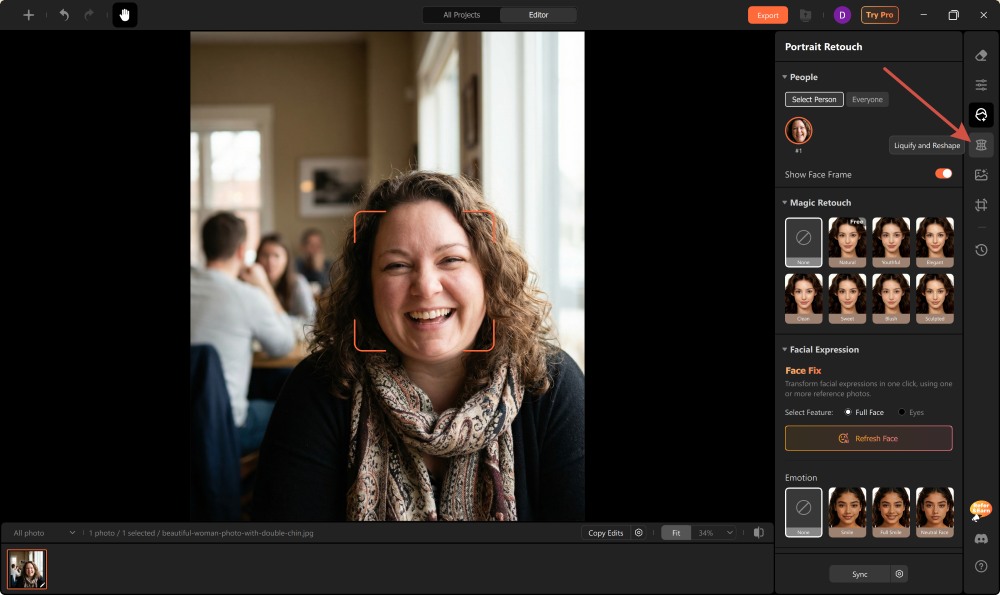
- From the “Liquify” option, you can choose to push, reverie, pucker, or bloat the face. Use the “Warp tool” to refine the overall facial structure.
- From the “Reshape” option, you can edit a specific area of the face including eyes, nose, or mouth.
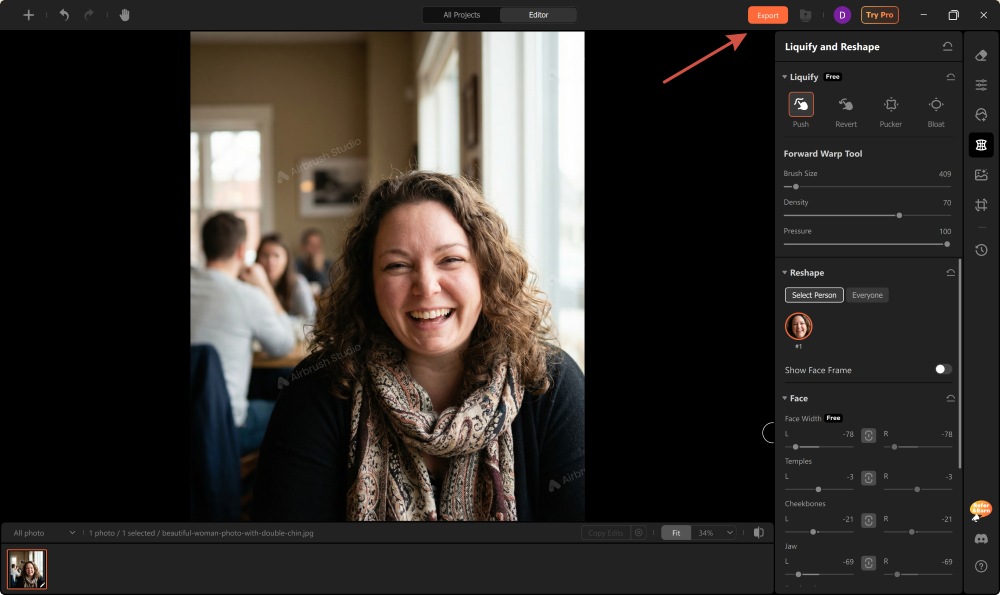
- When you are satisfied with the result, press “Export”.
Top 5 Tips for a Natural Slim Face in Photo Edits
1. The “Zoom in” Rule
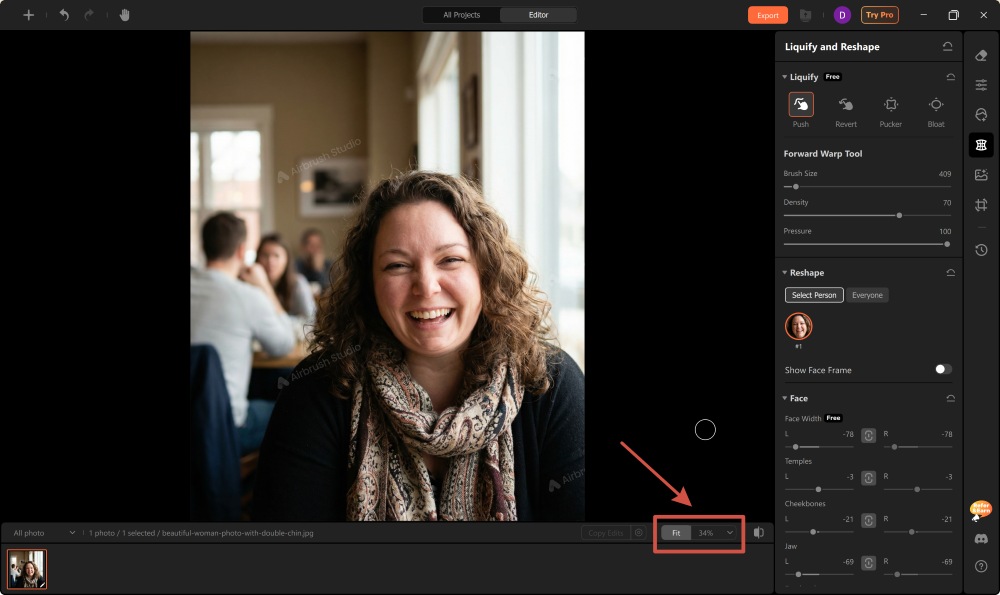
Pixelation or image distortion is not always clear at full image view. While making adjustments to slim the face, zoom in to 100%. This helps in flawless refinement of the image. By focusing on the tiniest details, you can ensure a smooth transition from a chubby to a slimmer face.
2. Preserve the Background
Face slimming tools usually distort the background around the edited area. Make sure that the editing tools do not affect the background in any way. Otherwise, the image looks unnatural. Hence, you can use modern AI tools like Airbrush that make adjustments without changing surrounding elements.
3. Focus on Jawline
Most people think that contouring the cheek area is enough to make the face look slim. However, it can make the face look artificial. While editing, you should equally focus on the jawline. By adding a subtle definition to the jawline, you can make the face look naturally slim.
4. Pair with Skin Retouching
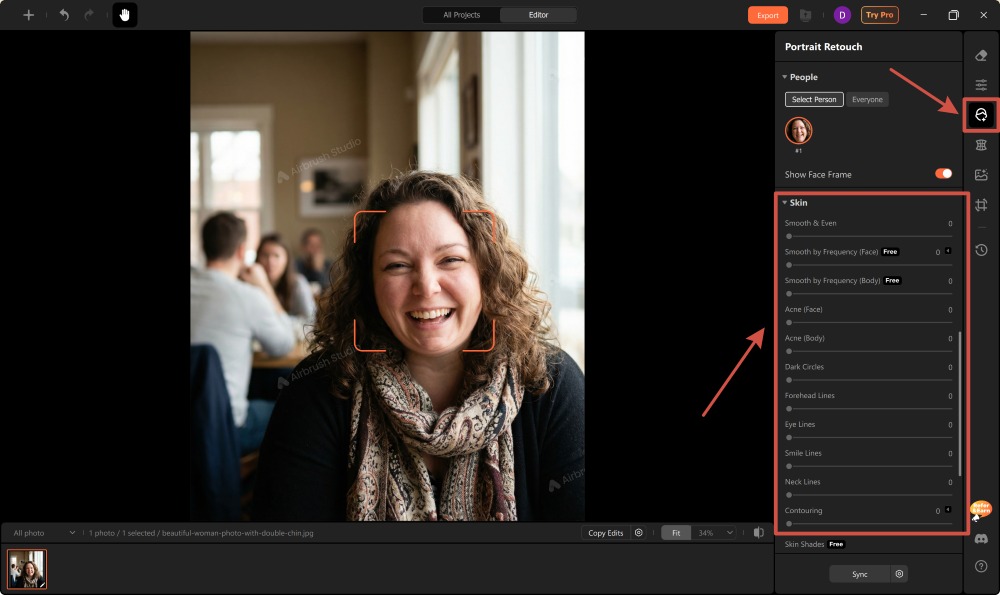
A slim face along with glass skin gives you a flawless look. Therefore, you can pair face slimming with skin retouching. Subtle reshaping with blemish removal can enhance your image without looking overly edited.
5. Less is Always More
The less you edit, the better your picture will look. Wanting to achieve a look with a slim face is never wrong. However, editing the face to unrealistic levels is excessive. Keep the adjustments subtle to attain realistic results. This ensures that the refinement complements your original features rather than overpowering them.
FAQs
1. Are There Any Reliable Face Slimming Apps with Reviews?
Yes, there are several reliable face slimming apps with good online reviews. The Airbrush studio is one of them. It is available for both Mac and Windows. You can also go to the online Airbrush website if you do not want to download any app.
2. How to Find the Best Online Photo Retouching Tools and Filters?
Search photo retouching tools and filters online and narrow down the best one by reading reviews. The Airbrush Studio is one the best tools for slimming your face. It is user-friendly, provides immediate access, and provides real-time previews for quick adjustments.
3. Do Face Slimming Affect Image Quality?
If you are using an advanced application like the Airbrush face slimming app, there will be no effect on the image quality. It ensures that the quality remains the same as the provided input.
Conclusion
A face slimming app can help in making your face look sharper. However, it is essential to avoid over-editing. Subtle changes enhance your overall look. On the other hand, excessive editing creates a plastic effect. Therefore, it is important to be mindful while editing or it can do more harm than any good.