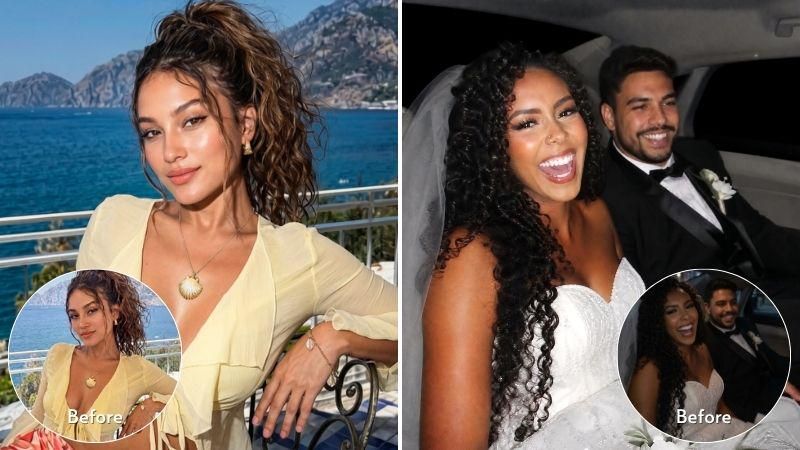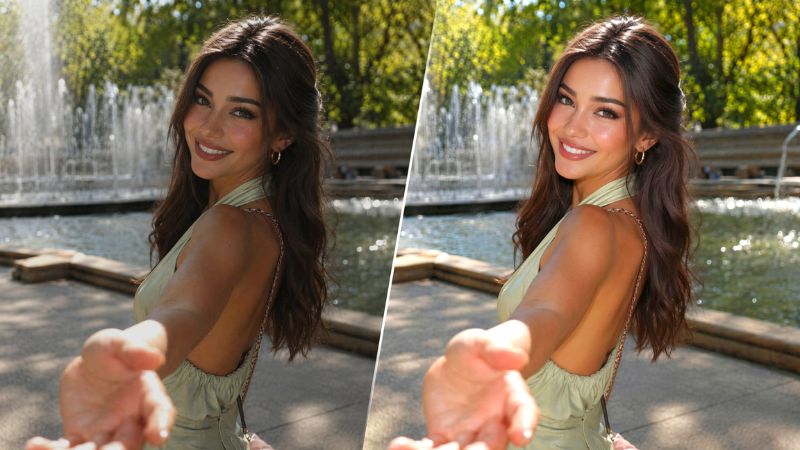
In today’s tutorial, the Airbrush team is going to reveal the biggest secret for a good picture: lighting! Lights are essential in photography, they bring warmth to the picture and highlight the features of the subject. There are so many different types of lights such as natural lights, studio lights, back light, diffused light, and so on… all of these sound overwhelming when you’re beginning photography. But don’t worry anymore, Airbrush has you covered with the Relight tool. If you want to fix colored lighting and restore natural photo colors, you can use AI Auto Color Correction in the online photo editor.
Using Relight
Let’s be real — not everyone has a professional lighting kit, a studio, or perfect golden hour timing. Maybe you took a selfie in bad overhead lighting, or that candid shot came out too dark. That’s where Relight comes in.
Think of it as your personal lighting studio, right inside the Airbrush app. Instead of expensive equipment or complicated editing software, you get one-tap presets that transform flat, poorly lit photos into images with professional-looking light .
Here’s how to use it:
Step 1: Open the Airbrush app and upload your photo.
Step 2: Go to the “Edit” menu and tap the Relight icon (represented by a spotlight).
Step 3: Browse through the preset options — Flash, Sunsoft, G7X, Even Light, DeGlare, Window, Neon, and more. Tap any preset to apply it instantly.
Step 4: Adjust the intensity by dragging the slider left or right. Once you’re happy with the result, save your photo.
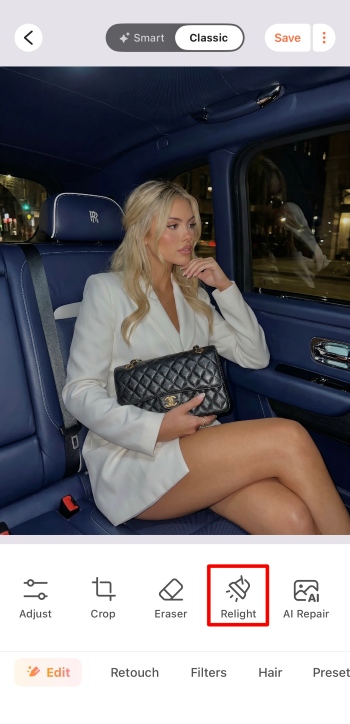
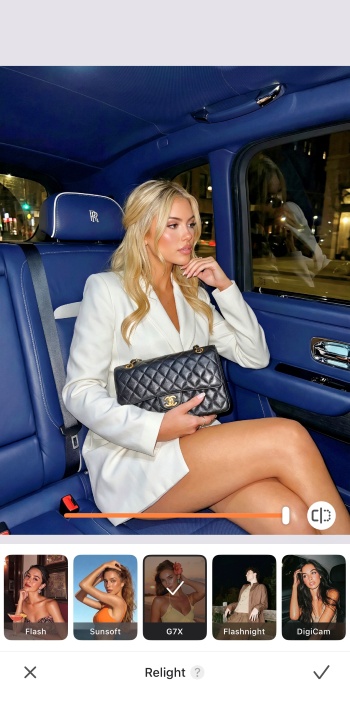
The Relight tool works great on portrait photos, but feel free to experiment with other subjects too. If your subject is too far away, the effect may be less noticeable.
Relight & Flash effects
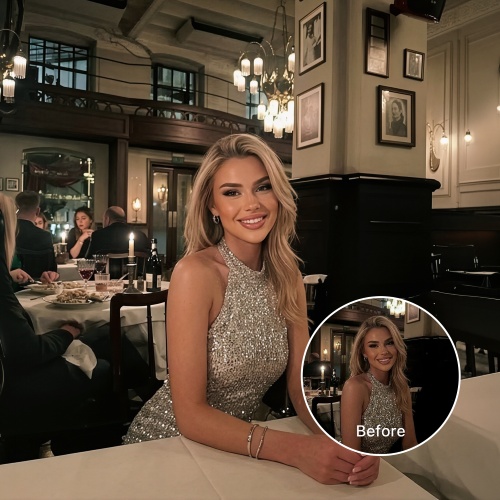
Want to add the pop of a camera flash? Flash adds a classic flash effect that brightens your subject and adds contrast. G7X mimics the look of photos taken with a G7X camera, giving a clean, slightly cool flash aesthetic. Flashnight is ideal for low-light scenes, recreating the look of a night shot with flash. Use these to bring energy, sharpness, and a trendy candid feel to your photos.
Relight & Soft natural light
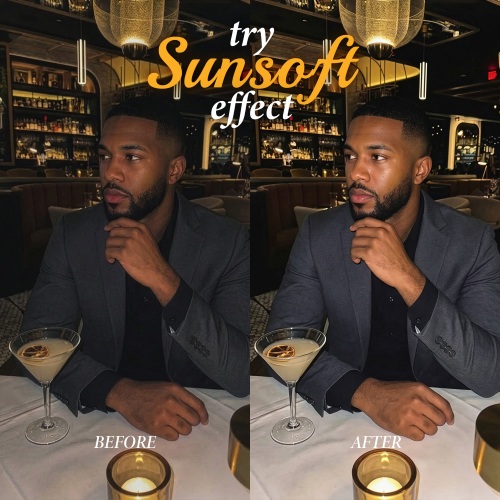
For a gentle, flattering look, try Sunsoft — it creates photos with soft, diffused light that feels natural and airy. Another great option is Even Light, which smooths out harsh shadows and provides balanced illumination across your subject. These are perfect for daytime portraits, skincare shots, or any photo where you want a calm, radiant vibe.
Relight & the Golden hour
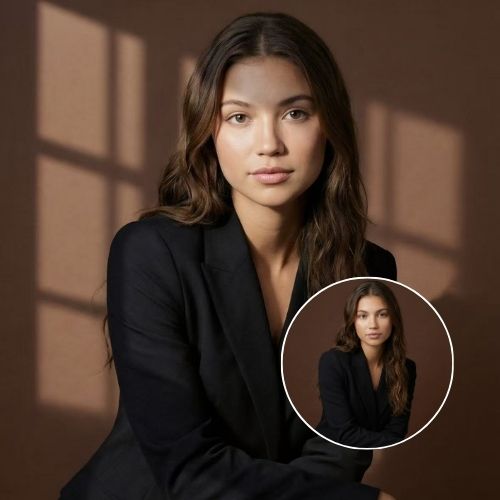
One of the most well known sources of natural light in photography is the golden hour. However, you can’t always take pictures at that perfect time. Thankfully, with the Relight tool, you can now achieve similar warm, glowing lighting using presets like Window (which mimics soft natural light coming through a window) or Backlight (which adds a warm glow from behind your subject). Another great option is Blue Hour, which gives a cooler, twilight version of golden hour — perfect for moody evening shots.
Relight & Black and White
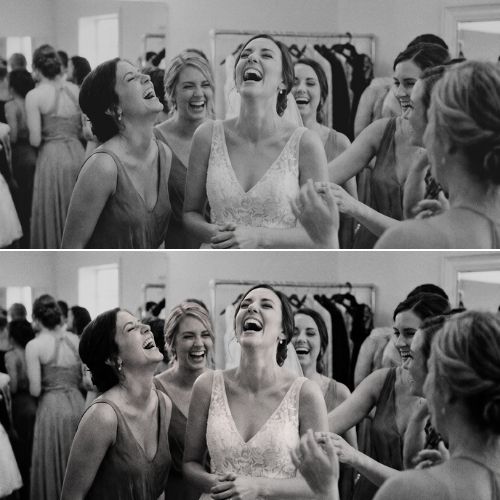
Black and white portraits are amazing and bring a lot of emotion to the picture. However, bad lighting can make the photograph too dark and difficult to read. With the Relight effect, use presets like Studio Pro 1–3 to add the perfect amount of illumination. In black and white photography, shadows and highlights do all the storytelling — so getting the light right beforehand is even more important than with color photos.
Conclusion
Lighting can make or break a photo, but with Airbrush’s Relight tool, you have everything you need in one place. Whether you want soft natural light, a bold flash effect, golden hour warmth, or dramatic black and white tones, there’s a preset for every mood and style. The best part? You can experiment with trending filters like Sunsoft, G7X, and Flash without any professional equipment — just your phone and the Airbrush app.
You haven’t tried this feature yet? Don’t wait anymore, take a selfie, and head to the Airbrush app! Send us the results on Instagram at @AirbrushOfficial and use the hashtag #AirbrushApp for a chance to get featured!
You haven’t tried this feature yet? Don’t wait anymore, take a selfie, and head to the Airbrush app! Send us the results on Instagram at @AirbrushOfficial and use the hashtag #AirbrushApp for a chance to get featured!